How Marketers Use AI to Generate Campaign Scripts and Brand Logos
Marketing teams today are under continuous pressure to create quality content in large volumes and ensure brand consistency across different platforms. Whether it is a campaign video or promotional script, logos, and other visual assets, marketers need to come up with rapidly made material that fits the brand strategy. Nevertheless, a more complicated campaign and the growth of the team can slow down production and lead to more frequent inconsistencies due to more complex manual workflows.
CapCut is an AI-driven creative platform that marketing teams can use to address these problems. Thanks to the powerful tools of AI that are offered in CapCut Desktop, teams are able to simplify the process of content creation, create structured scripts, and develop professional brand logos, which are highly efficient. These AI-based processes enhance cooperation and decrease production time, as well as provide a unified brand image across campaigns.
CapCut as an AI-Powered Creative Platform
CapCut also gives marketing teams AI-powered tools to love content creation and branding. Through the provision of simplified campaign scripting and logo designing processes, CapCut allows the marketing teams to develop quality content at high speed and at the same time remain consistent across the channels.
CapCut AI Writer (Desktop)
Benefits for Marketing Teams
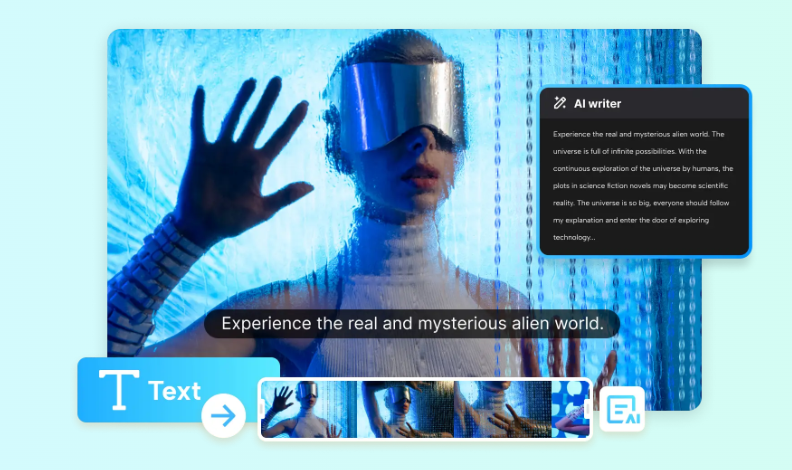
Concrete and direct messages are crucial in any marketing campaign. The scripts are instrumental in leading the way in which brands engage the audience through video advertisements, product releases, or even storytelling on social media. The AI Writer of CapCut assists a marketing team in writing structured, captivating scripts that meet campaign objectives and brand voice.
This is the tool that assists marketing teams:
- Create campaign video scripts, promotional scripts, and social media message scripts.
- Arrange messaging into distinct and rational blocks.
- Control the tone and script length across platforms and audiences.
Full Workflow Using CapCut AI Writer
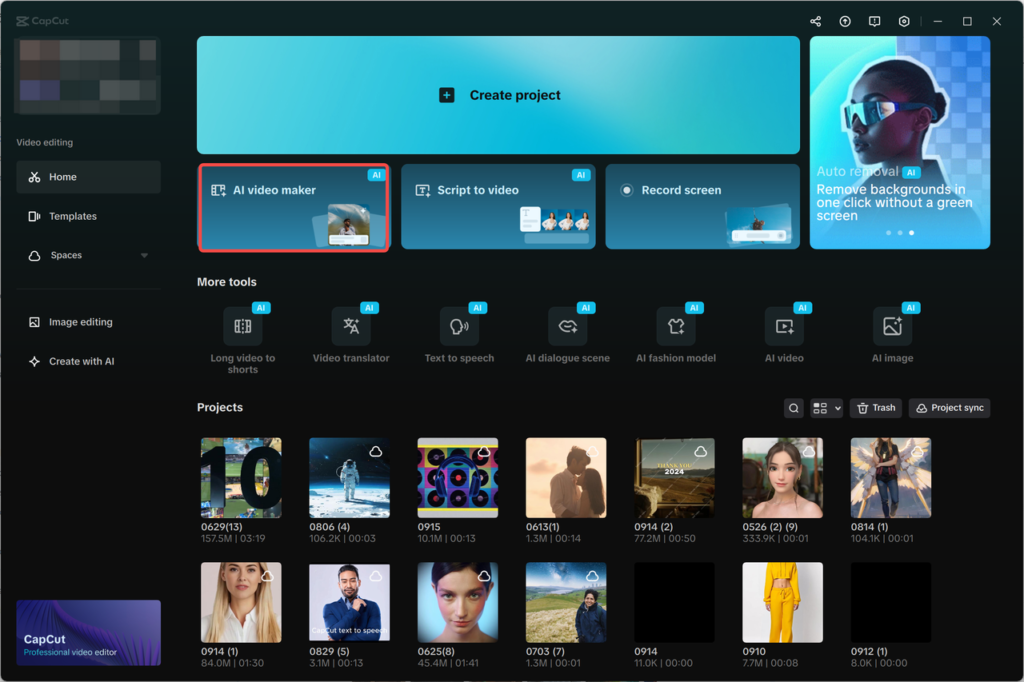
Step 1: Open the AI video maker
- Launch CapCut Desktop.
- Choose the “AI video maker”, which is located on the main interface.
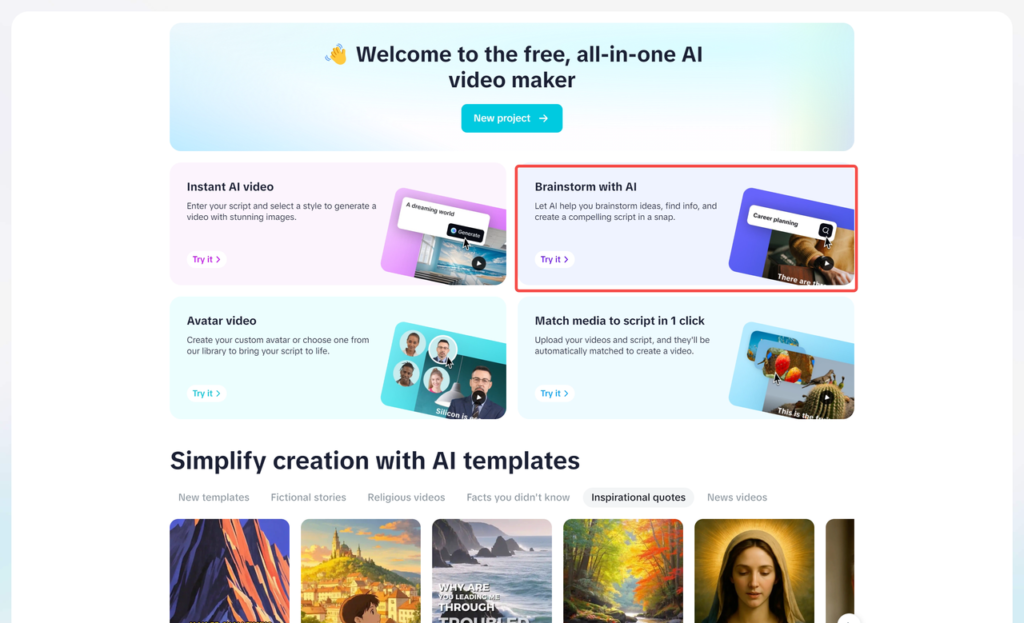
- To start the process of generating ideas for campaign content with the help of AI, click “Brainstorm with AI”.
Step 2: Brainstorm topics with AI
- Enter a concept related to a campaign, i.e, create a new product launch script.
- Based on your query, the AI creates a list of the topical subjects.
- Select the best ideas in the form of Pick, or see more in the form of Explore.
- Topics become converted into organized points of messaging once established.
- Click “Generate script.”
Step 3: Campaign script Generator
- The AI provides a full script according to the topic of choice.
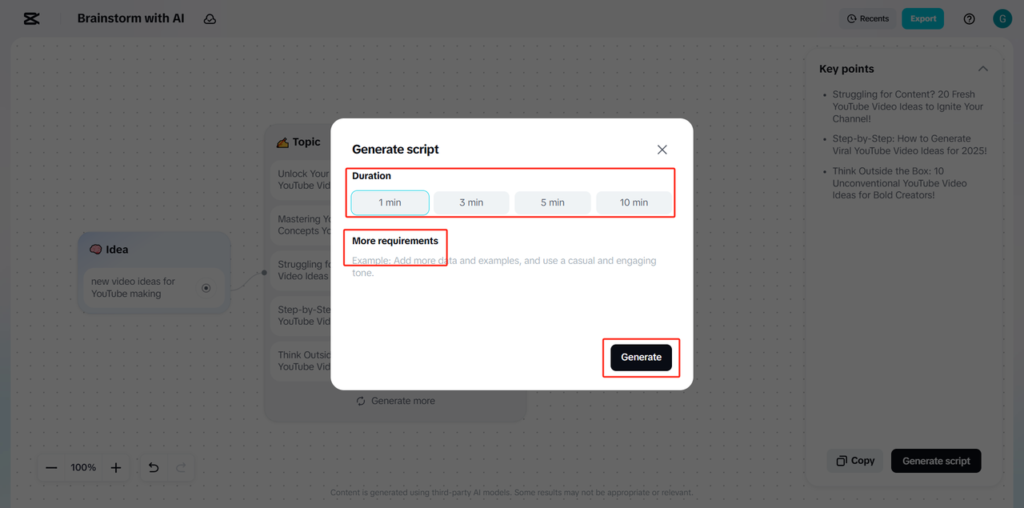
- Select a script length depending on the campaign form (e.g. short ad or lengthier brand video).
- In the More requirements field, give instructions such as, Maintain a persuasive tone.”
- Choose the script by clicking on “Generate”.
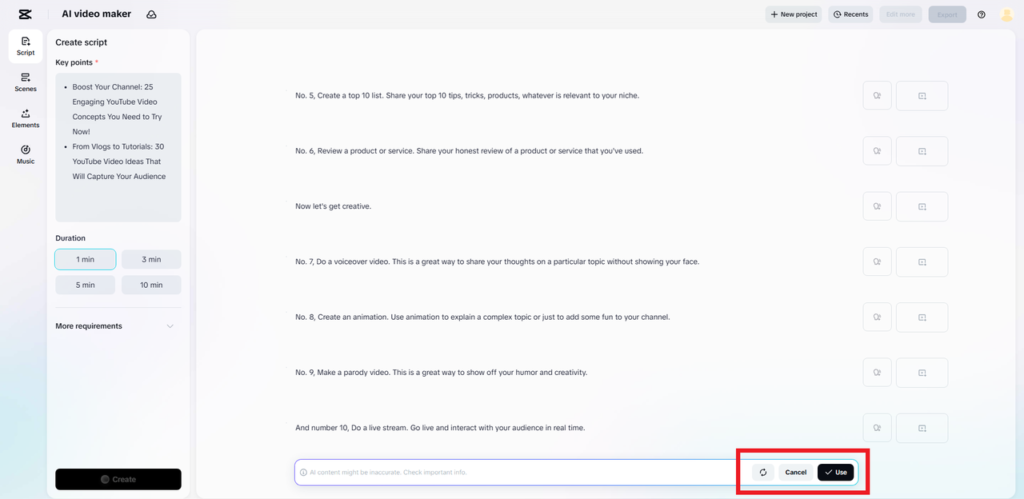
Step 4: Script review and application
- Review the generated script.
- Click on “Use” to apply the script to your campaign.
- In case of any revision, choose create again or cancel.
CapCut AI Logo Generator (Desktop)
Benefits for Marketing Teams
Brand consistency is a prerequisite to handling numerous campaigns. Logos are used as visual cues in advertisements, landing pages, and other online resources. The AI Logo Generator of CapCut allows marketing teams the ability to draw and perfect logos relatively quickly and stay consistent with visual policy.
This instrument assists marketing departments:
- Produce campaign, sub-brand, or product line design logos.
- Test various graphics easily at concept stages.
- Make sure that logos match brand identity and are channel consistent.
Full Workflow Using CapCut AI Logo Generator
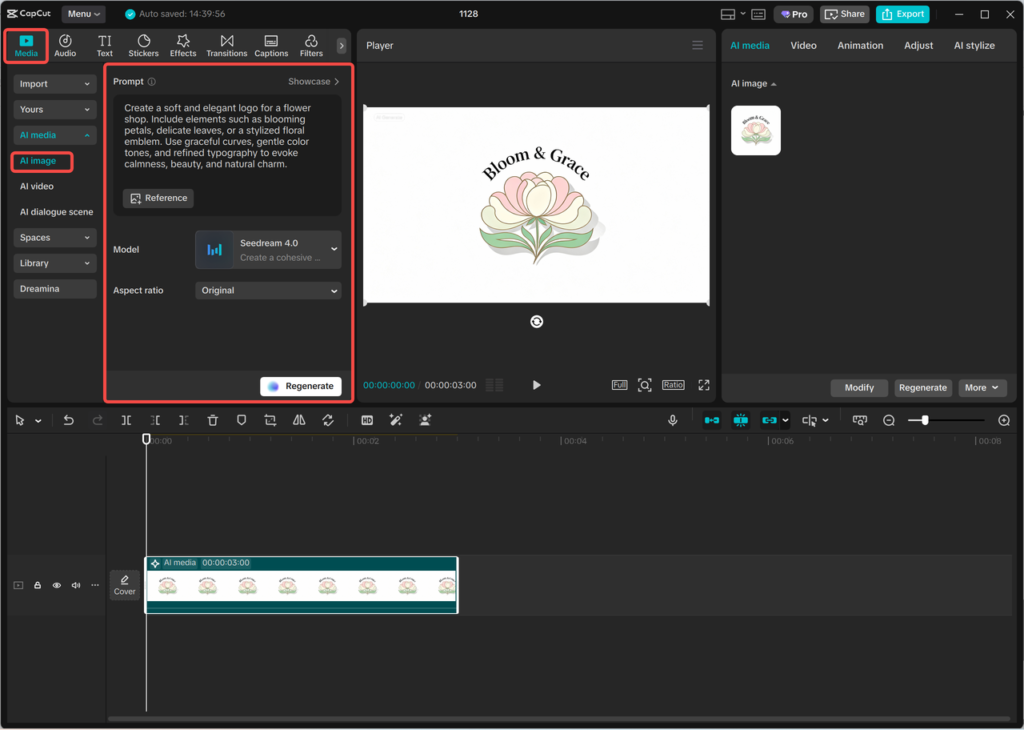
Step 1: Enter text prompt
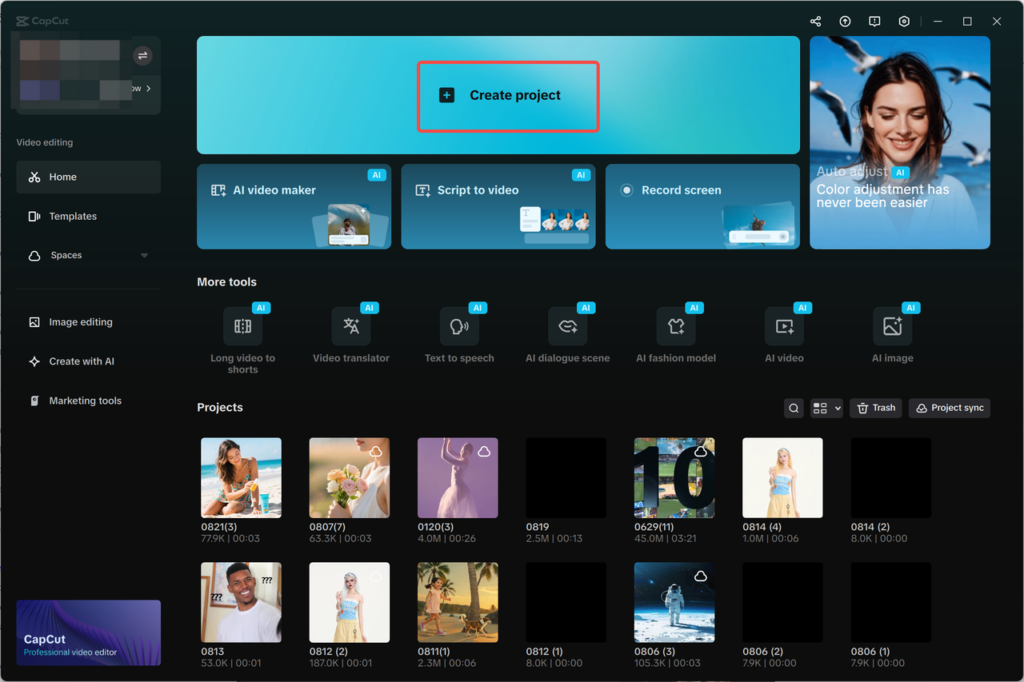
- Open a new project in CapCut and go to AI media > AI image.
- Write an elaborate text brief about the logo you desire to design, brand values, campaign themes, color collections, and your target market.
- You can also upload a reference image to follow.
Step 2: Generate an AI logo
- Select one of the models of available generation, including: Nano Banana Pro, Seedream 4.0, Seedream 3.0, Seedream 3.1, Flux 1.1 Pro
- Click “Generate.” The AIs create a range of logo designs, depending on your prompt and model chosen.
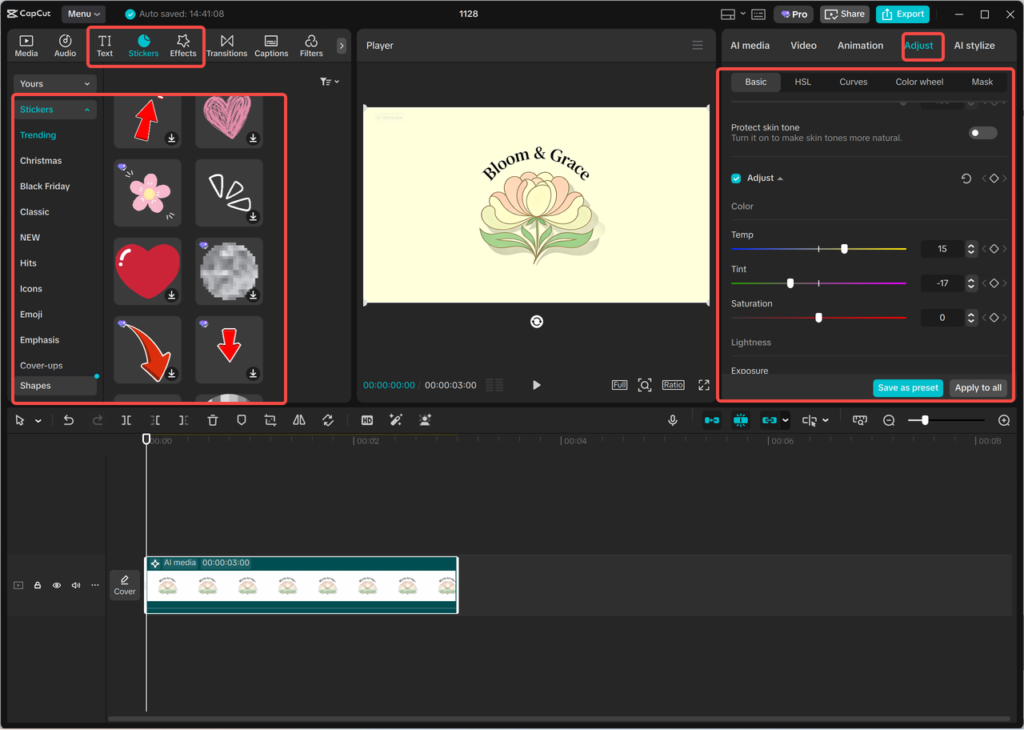
Step 3: Edit the logo
- Edit the logo with the editing tools of CapCut.
- change fonts, colors, stickers, and effects according to brand specifications.
- Make sure that the logo is in line with the visual aspect of your campaign.
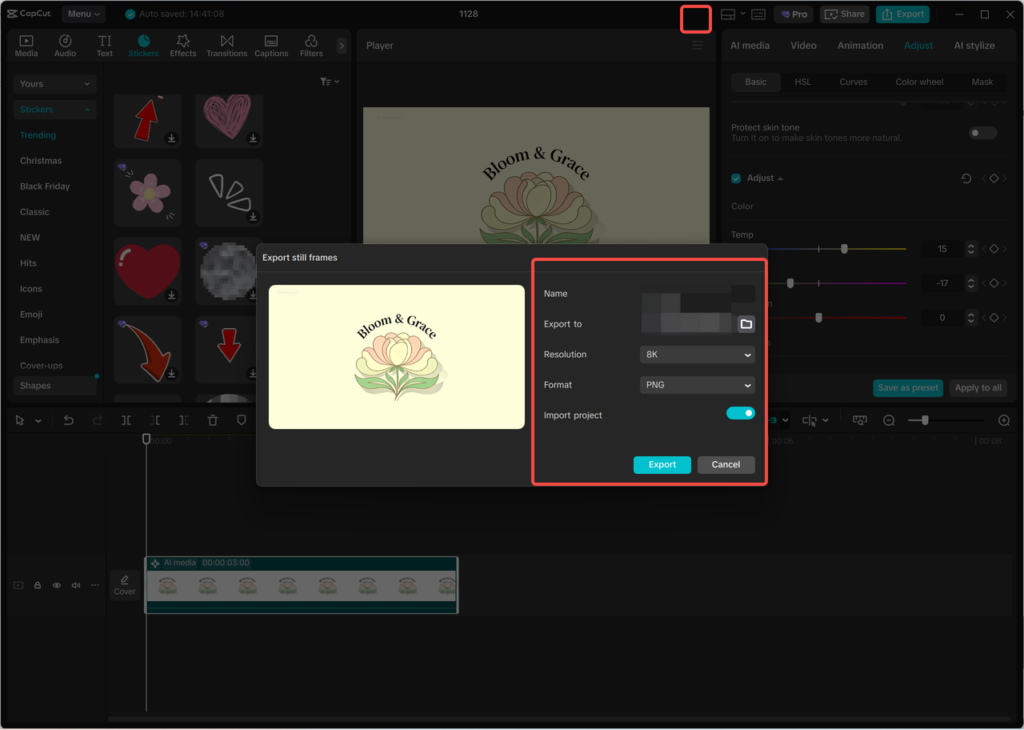
Step 4: Export the logo
- After satisfying your logo with your requirements, you can press the three-line menu above the editing panel.
- Select “Export still frames.”
- Select the resolution and format that you are comfortable with (maximum 8K) and then export the logo.
CapCut Online Photo Editor (Web)
The marketing teams usually have to make hasty changes to images, be it resizing to fit into different platforms or changing images to match an impending campaign. The online photo editor offered by CapCut is a browser-based solution for these quick edits. Teams do not need to download any software to edit pictures, and they can do it directly using any device.
Conclusion
In marketing, it is necessary to ensure that it is clear and the brand is consistent with the campaigns. The CapCut Desktop provides AI-based features to allow marketing teams to create video and other promotional scripts efficiently and create professional logos that fit the brand name. The features allow teams to work more quickly, create high-quality content, and have consistency in running multiple campaigns.
CapCut provides a complete ecosystem, which enables scalable marketing processes, and with the added benefit of fast online image editing, marketing team members can easily run campaigns and can do so across the board.
Keep an eye for more latest news & updates on Zero Devicenet!