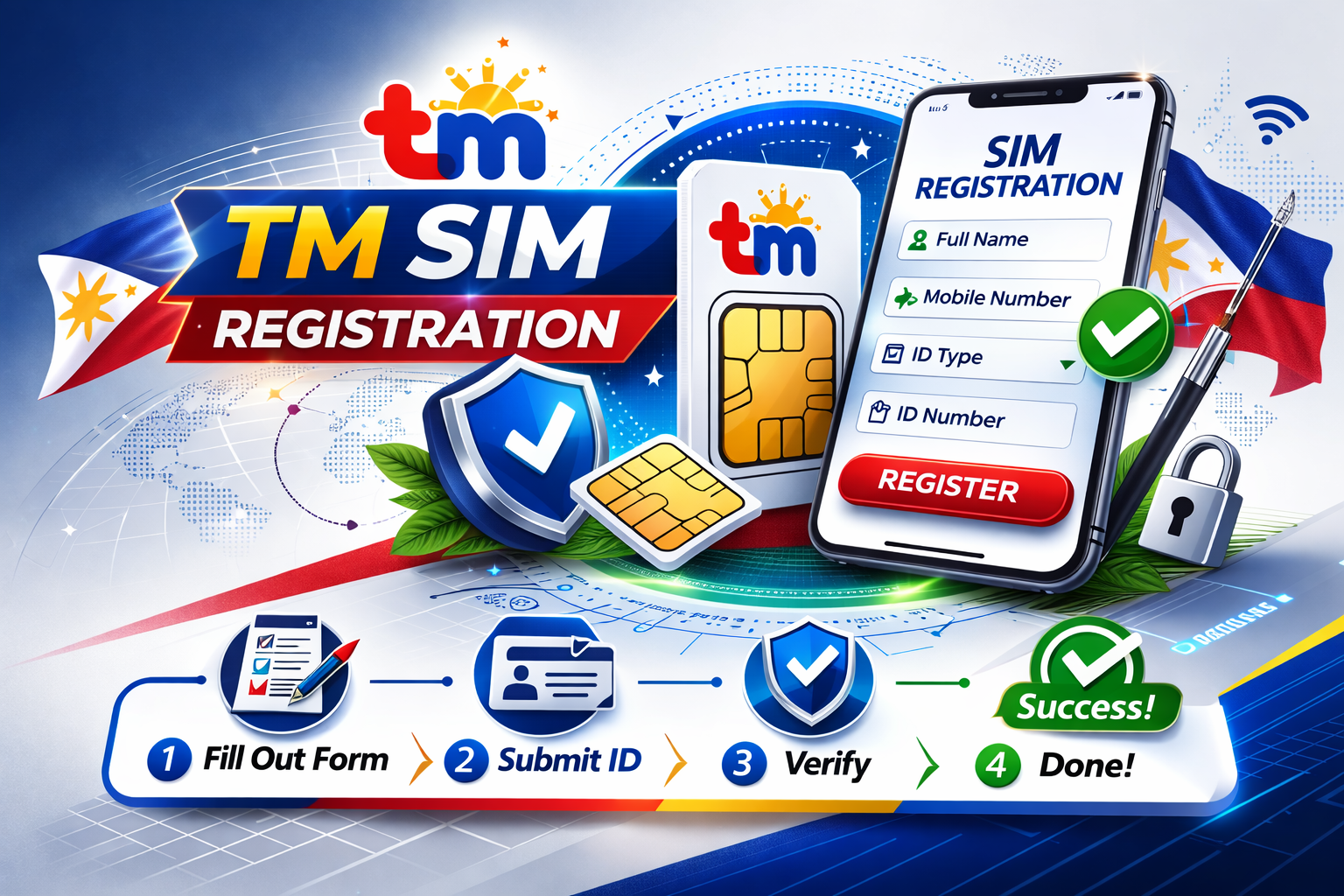
TM SIM Registration in the Philippines 2026
The SIM Registration Act (Republic Act No. 11934) is a Philippine law mandating all mobile subscribers to register SIM card TM to combat spam, scams, and fraudulent activities. Under this law, all TM (Touch Mobile) subscribers must complete registration to maintain active mobile services including calls, text messaging, and internet access.
Failure to register results in permanent SIM deactivation. Additionally, providing false information during registration carries penalties of six months to two years imprisonment and fines up to PHP 300,000.
Who Needs to Register
All TM SIM card holders must register regardless of subscription type:
- Prepaid subscribers – Must register existing or new SIM cards
- Postpaid subscribers – Registration is typically handled by Globe Telecom, but verification may be required
- Foreign nationals – Including tourists and long-term residents
- Minors – Must be registered under a parent or legal guardian’s name
- Corporate entities – Business organizations using TM SIMs for operations
Registration is completely free of charge and accessible through multiple official channels.
Registration Requirements by User Type
For Filipino Nationals
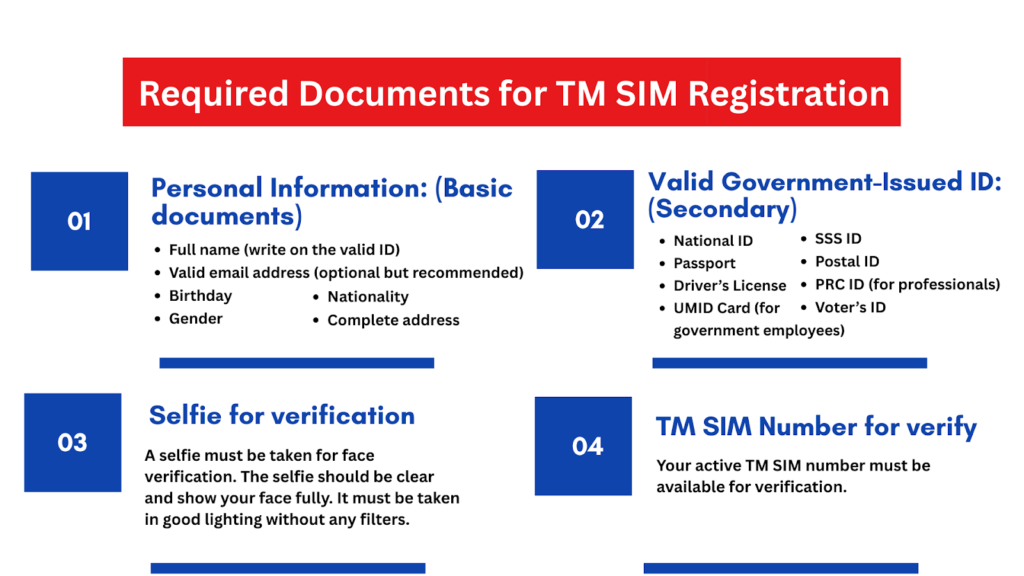
Filipino citizens must provide the following information:
- Full name (first, middle, last)
- Date of birth
- Gender
- Complete address
- Nationality
- One valid government-issued ID with photo and ID number
- Clear selfie for facial verification
For Foreign Nationals
Tourists:
- Valid passport (bio page and visa page)
- Proof of Philippine address (hotel booking, host affidavit, or lease agreement)
- Return or onward ticket with departure details
- Registration validity limited to 30 days
Foreign Residents:
- Valid passport
- Alien Certificate of Registration (ACR I-Card) or valid residence visa
- Proof of local address (utility bill, lease contract)
- Work permit or student ID (if applicable)
For Minors
When registering a SIM for a minor:
- Minor’s birth certificate
- Valid ID of parent or legal guardian
- Proof of relationship (typically the birth certificate)
- Guardian’s consent and personal information
For Corporations and Organizations
Business entities must provide:
- SEC or DTI Certificate of Registration
- Board Resolution or Special Power of Attorney authorizing the representative
- Valid ID of the authorized representative
- Complete list of SIM numbers to be registered under the company
Acceptable Valid IDs
TM SIM registration accepts the following government-issued identification documents:
- Philippine Passport
- Driver’s License
- Philippine Identification (National ID / PhilSys)
- Unified Multi-Purpose ID (UMID)
- Social Security System (SSS) ID
- Government Service Insurance System (GSIS) ID
- Professional Regulation Commission (PRC) ID
- Voter’s ID
- Senior Citizen ID
- PhilHealth ID
- Bureau of Internal Revenue (BIR) ID
- Integrated Bar of the Philippines (IBP) ID
- Overseas Workers Welfare Administration (OWWA) ID
- National Bureau of Investigation (NBI) Clearance
Important: All IDs must be current and not expired. Uploaded photos must be clear, well-lit, and show all details without blur or shadows.
Step-by-Step Registration Process
Method 1: Online Portal Registration
The official TM SIM registration portal is the most widely used method.
Step 1: Access the Portal
Visit https://new.globe.com.ph/simreg or scan the QR code on your TM SIM pack.
Step 2: Enter Mobile Number
Input your 10-digit TM mobile number beginning with 9. Tick the confirmation checkbox and click “Request OTP”.
Step 3: Verify with OTP
Enter the One-Time Password sent via SMS within 5 minutes. Check spam folders if not received immediately.
Step 4: Select Registration Type
Choose from:
- Filipino SIM owner
- Parent or legal guardian registering for a minor
- Authorized representative for business registration
Step 5: Upload Identification
Select your ID type from the dropdown menu. Upload a clear photo (JPG or PNG format, maximum 2MB) showing your ID’s front side with all details visible.
Step 6: Facial Verification
Take a clear selfie with proper lighting. Ensure your entire face is visible without filters, masks, or obstructions.
Step 7: Complete Personal Details
Fill in all required fields:
- Full name (matching your ID exactly)
- Date of birth
- Gender
- Complete address
- Nationality
Step 8: Review and Submit
Double-check all information for accuracy. Tick the privacy policy agreement boxes and click “Submit”.
Step 9: Save Reference Number
Upon successful submission, the system generates a reference number. Screenshot or write down this number as proof of registration.
Method 2: GlobeOne App Registration
For users preferring mobile application access:
- Download the GlobeOne App from Google Play Store or Apple App Store
- Create an account or log in using your TM mobile number
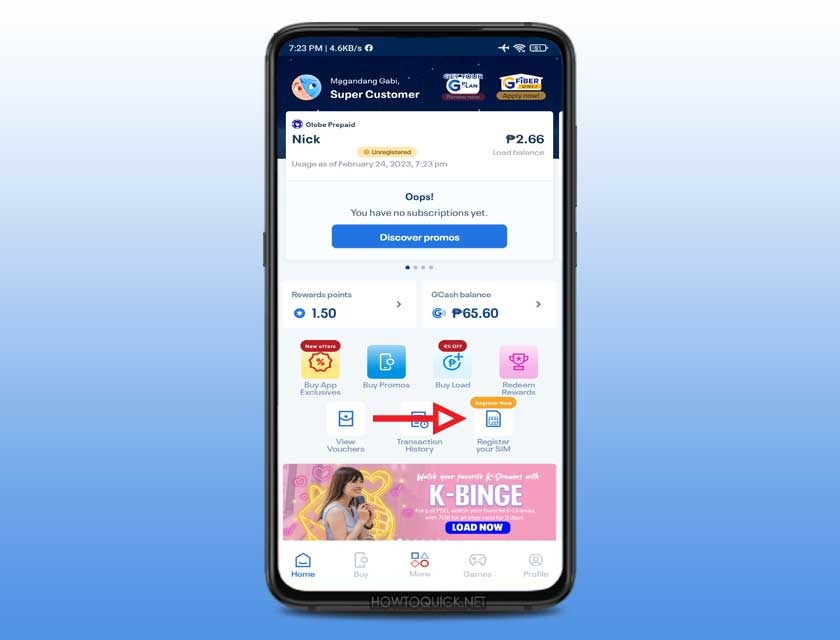
- Navigate to the “Register SIM” option on the home screen
- Enter your TM number and verify with OTP
- Complete the registration form with personal details
- Upload valid ID and selfie for verification
- Review and submit the application
- Save the confirmation reference number
Method 3: In-Store Registration
For those without internet access or preferring personal assistance:
- Visit the nearest Globe Store or authorized TM retailer
- Bring your TM SIM card and valid government-issued ID
- Request assistance from store personnel for SIM registration
- Present your ID and provide necessary personal information
- Complete any required verification steps
- Receive confirmation of successful registration
Verifying Registration Status
After completing registration, confirm your SIM status through these methods:
Via Online Portal
- Visit the official TM SIM registration website
- Enter your mobile number
- Request and enter the OTP
- View your registration status on screen
Via GlobeOne App
- Open the GlobeOne App
- Log in to your account
- Check the home dashboard for registration status
Via SMS
- Open your messaging app
- Type “SMERG”
- Send to 8080
- Wait for confirmation message indicating registration status
In-Person Verification
Visit any Globe Store with your mobile number and valid ID. Store representatives can check your registration status in the system.
Updating Registered Information
To change or correct registered details:
Online Update:
- Access the official TM SIM registration portal or GlobeOne App
- Log in with your mobile number and password
- Navigate to the SIM Registration section
- Click “Edit” to modify personal details
- Upload valid ID for verification
- Submit changes and await confirmation
In-Store Update:
Visit a Globe Store with your valid ID. Store staff will assist with updating your registration information after identity verification.
Registration Rewards and Benefits
TM offers incentives for completing SIM registration:
Table
| Promo Code | Offer Details | Points Required |
| REWCOMBO10 | Unlimited calls and SMS to all networks + 100MB data (1 day) | 6 points |
| SURF250MB | 250MB mobile data (1 day) | 4 points |
| SURF1GB | 1GB internet data (1 day) | 10 points |
| REWCOMBO2 | 20 call minutes + 20 SMS (1 day) | 2 points |
| REWTXT | Unlimited texts to all networks + 100MB data (1 day) | 4 points |
Additionally, newly registered users receive free 5G EasySURF50 promo including 2GB regular data and 3GB FunALIW Pack valid for three days. To claim, text “FREEEZ50” to 8080.
Troubleshooting Common Issues
OTP Not Received
- Ensure your TM SIM is properly inserted and has signal
- Check spam or message filter folders
- Wait 60 seconds before requesting a new OTP
- Verify you entered the correct mobile number
ID Upload Rejected
- Ensure file size is 2MB or smaller
- Use only JPG or PNG formats
- Check that all ID details are clearly visible
- Ensure ID is not expired
- Retake photo with better lighting
Selfie Verification Failed
- Remove glasses, masks, or hats
- Ensure proper lighting without shadows
- Face the camera directly
- Avoid filters or photo effects
- Ensure entire face is visible in frame
Registration Page Errors
- Use stable internet connection
- Clear browser cache and cookies
- Try accessing during non-peak hours
- Use updated browser versions
- Disable VPN or proxy services
Legal Implications and Penalties
The SIM Registration Act imposes strict penalties for violations:
- Unregistered SIMs: Permanent deactivation without refund of remaining load balance
- False Information: 6 months to 2 years imprisonment and fines up to PHP 300,000
- SIM Theft or Misuse: Same penalties as false information
- Telco Non-Compliance: PHP 100,000 to PHP 1 million fines for telecommunications companies refusing registration without valid reason
Contact Information and Support
For assistance with TM SIM registration:
Hotline Numbers:
- 808 (from TM number)
- (02) 7730-1500 (from other networks)
- Available daily 8:00 AM to 8:00 PM
Online Support:
- Globe website: https://www.globe.com.ph/contact-us
- Facebook Messenger: https://www.tmtambayan.ph/contact-facebook-messenger
- Facebook Page: https://www.facebook.com/globeph/
Physical Locations:
Visit any authorized Globe Store nationwide. Use the Globe store locator online to find the nearest branch.
Conclusion
TM SIM registration is a mandatory requirement under Philippine law designed to protect mobile users from scams and fraudulent activities. The registration process is straightforward, free of charge, and accessible through multiple channels including the official online portal, GlobeOne App, and physical stores.
Completing registration ensures uninterrupted access to mobile services and qualifies users for exclusive rewards and promotions. All TM subscribers should prioritize registration to avoid service deactivation and comply with legal requirements. For the most current information and updates, always refer to the official Globe Telecom website or contact TM customer support directly.
Stay in touch to get more updates & news on Zero Device Net!